
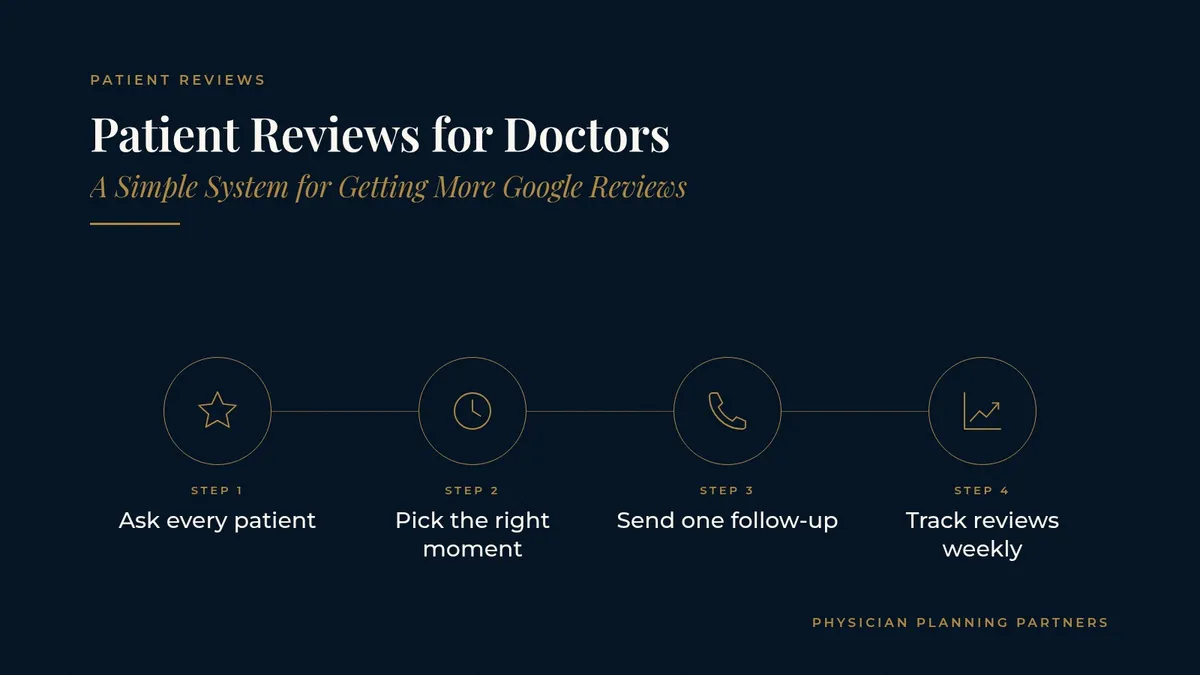
Patient Reviews for Doctors: A Simple System for Getting More Google Reviews
Most practices have plenty of satisfied patients and only a handful of recent reviews. The gap is rarely about care. It is about process: nobody asks, or the ask happens at the wrong moment, or the link is hard to find. Patient reviews for doctors grow steadily when asking becomes a normal part of every visit, handled the same way by the same people every day.
This guide lays out a simple, repeatable system any medical or healthcare practice can run: when to ask, what staff can say, how to send a short follow-up, how to reply to reviews and how to keep the whole thing going without adding work for physicians.
Key takeaways
Reviews grow when the ask is a routine step at checkout, not an occasional favor.
A short, direct review link removes most of the friction for patients.
Simple staff scripts and one follow-up text keep the ask consistent.
Replies should stay brief and general and never discuss a patient's care.
One owner, a weekly check and team recognition keep the system running.
Why patient reviews for doctors matter to new patients
When someone searches for a physician nearby, the map results usually show star ratings and review counts before anything else. Many patients read a few reviews before they ever visit the website or call.
Recent reviews carry weight
A long list of reviews from several years ago says less about the practice today than a steady stream of recent ones. Patients want to know what the office is like now: how the front desk treats people, how long the wait is and whether the physician explains things clearly.
Reviews answer practical questions
Reviews often mention parking, wait times, friendly staff and how easy it was to book. Those details answer questions a new patient may never think to ask. They also give search tools more to work with; the guide to how patients find doctors in ChatGPT and Google AI Overviews explains how review content shows up in AI answers.
Google reviews: medical practice basics before you ask
Before asking anyone for a review, make sure the destination is ready.
Complete your Google Business Profile
Check that the practice name, address, phone number, hours and categories are accurate, and that each office has its own listing. Patients who land on an incomplete profile are less likely to finish writing a review. The guide to SEO for physicians covers what to check first.
Create a short review link
Google Business Profile offers a direct link that opens the review window. Save it, shorten it if needed and use the same link everywhere: text messages, emails, a small card at checkout and a QR code at the front desk.
Decide where to focus
Google is usually the first place patients look, so it is a sensible starting point. Once that routine works, a practice can add one or two other sites patients in its area use.
How to get more patient reviews: a five-step system
Here is how to get more patient reviews without making it awkward for staff or patients.
Step 1: Ask every patient the same way
Make the ask part of the standard checkout routine for every patient, not only the ones staff think are happy. A consistent ask is fairer, simpler to train and gives a truer picture of the practice.
Step 2: Pick the right moment
The best time to ask is right after a good interaction, usually at checkout or within a few hours of the visit. Asking weeks later rarely works, because the visit is no longer fresh in the patient's mind.
Step 3: Give staff a simple script
Front desk staff are more comfortable asking when they have words ready. Keep it short and natural:
"We're glad you came in today. If you have a minute, we'd appreciate a Google review. I can text you the link."
"Many of our patients found us through reviews. Would you be open to sharing how today went?"
Let staff adapt the wording to their own voice, and practice it in a team huddle so it sounds natural.
Step 4: Send one short follow-up message
A brief text or email with the review link, sent the same day, does most of the work. Keep it to two sentences, use the practice name and include the link. One reminder is plenty. Repeated messages tend to annoy people.
Step 5: Track requests and reviews weekly
Keep a simple count of how many patients were asked and how many new reviews came in each week. If a location or a shift falls behind, it usually points to a skipped step, not a problem with patients.
Replying to reviews: keep it short and general
Replies show prospective patients how the practice treats people. They are read by far more people than the original reviewer.
Thanking patients for positive reviews
A short thank-you is enough: "Thank you for taking the time to share this. We look forward to seeing you again." Avoid repeating details from the review, and never mention any specifics of a visit or a patient's care.
Responding to critical reviews
Stay calm and courteous, and take the conversation offline: "We're sorry to hear about your experience. Please call our office manager at the main number so we can talk." Keep the reply general, do not argue and never discuss a patient's care in public, even if the reviewer shares details first. Then follow up internally on the issue they raised.
Monitoring without spending hours
Turn on review notifications in Google Business Profile and assign one person to check them a few times a week. Most replies take a minute or two once the team has a few standard responses to adapt.
Making the system stick
Review programs often start strong and fade after a month. A few habits keep them going.
Assign one owner
Give one person, often the office manager, responsibility for the review link, the scripts, the weekly count and the replies. Shared responsibility usually means no responsibility.
Share reviews with the team
Read new positive reviews aloud in staff huddles, especially those that mention a team member by name. It reinforces the habit and reminds staff why the ask matters.
Keep the website in sync
Link to your review profiles from the website so visitors can read them. The guide to medical practice website design covers the other trust signals patients look for before they call.
Specialty-specific resources
Patients in each specialty mention different things in reviews. Specialty sites in the Physician Planning Partners network go deeper on marketing for pain management practices, dermatology marketing and SEO for plastic surgeons.
Frequently asked questions
When is the best time to ask a patient for a review?
Right after a positive interaction, usually at checkout or in a short message sent the same day, while the visit is still fresh.
Who should ask patients for reviews?
Usually the front desk at checkout, with a same-day text or email as backup. Physicians can mention it too, but a consistent front desk routine is easier to sustain.
How should a practice reply to a negative review?
Briefly and politely. Thank the reviewer, keep the reply general, never discuss a patient's care in public and invite them to call the office so the conversation continues offline.
How many follow-up messages should we send?
One short message with the review link is usually enough, plus at most one gentle reminder. More than that tends to frustrate patients.
Should we focus on Google or other review sites?
Most practices start with Google because it appears in map results. Once that routine is working, add one or two other sites patients in your area use.
Request a free marketing review
Physician Planning Partners can introduce you to independent marketing professionals who set up review programs, local search and websites for medical and healthcare practices. Want more of the right patients finding your practice in search, maps and AI answers? Take the 2-minute Practice Marketing Check and request an introduction to an independent marketing and SEO professional. You can also call or text (972) 616-4581, or contact us.
This article is general marketing information. Physician Planning Partners is an introduction service connecting physicians with independent professionals. Please read our disclaimer.